Antivirus blocking Webshots
If Webshots cannot reach the internet, says your photo directory is read-only, or behaves strangely, the cause is almost always third-party antivirus software (Avast, McAfee, Norton, AVG, etc.) flagging Webshots as a false positive. Webshots is not the problem — every release is submitted to Microsoft for a safety review before we publish it to the Microsoft Store and our website.
You do not need third-party antivirus on Windows 11
Microsoft's own position is unambiguous: Windows 11 ships with Microsoft Defender Antivirus built in, it runs automatically, and it is all the protection most people need. Microsoft's official guidance lays this out: here →
Microsoft also explicitly warns against running multiple antivirus programs at once — they conflict, slow your PC down, and create exactly the kind of false positive that breaks Webshots: here →
And here is a plain-language explainer on why paying for third-party antivirus is no longer worth it: here →
Easiest fix: uninstall the third-party antivirus
Remove Avast, McAfee, Norton, AVG, or whatever third-party antivirus you have installed. Windows Defender takes over automatically the moment it is gone — you will not be unprotected for a single second. This is what Microsoft itself recommends, and it is the only fix that permanently stops the false positives.
Alternative: install Webshots from the Microsoft Store
If you want to keep your third-party antivirus, install Webshots from the Microsoft Store instead. Antivirus programs automatically trust Store apps because Microsoft has independently verified them as safe: here →
It is the exact same Webshots application — just delivered through a channel your antivirus already trusts.
Alternative: add Webshots to your antivirus allowed list
If you cannot uninstall and do not want the Store version, add Webshots to your antivirus's allowed/whitelist and exclude the Webshots photo directory from real-time scanning. Menus differ by product — search "allow app" or "exclude folder" in your antivirus settings.
Avast: Ransomware Shield (read-only photo directory)
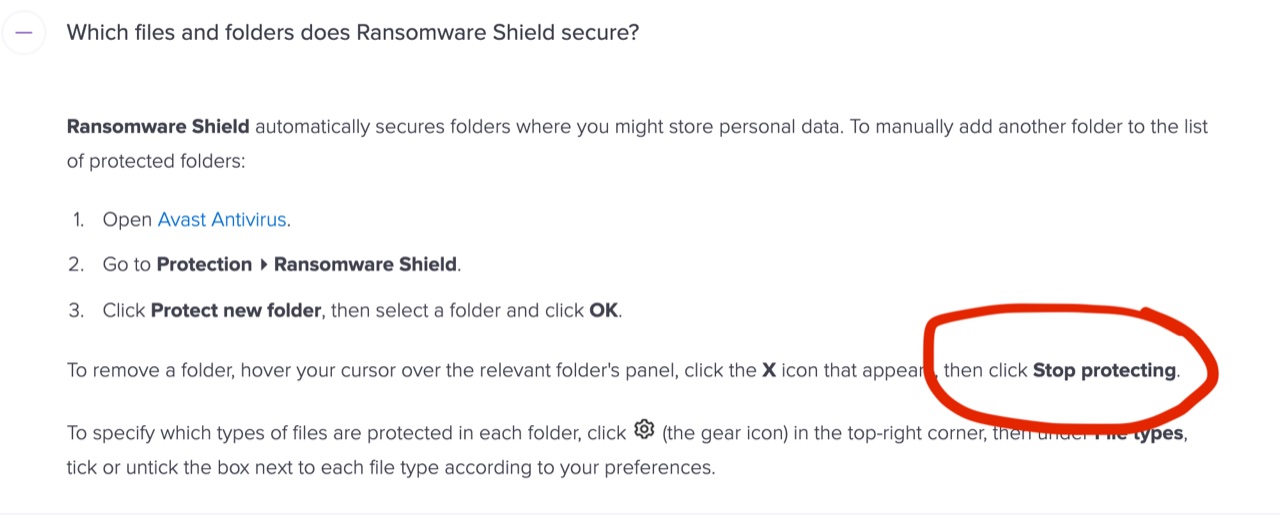
If Webshots says your photo directory is read-only and you are running Avast, Avast Ransomware Shield has marked your Webshots folder as protected. Open Avast Ransomware Shield settings and remove any Webshots directories from the protected list:
Or move your photo directory away from Avast's watched folders: Settings → Application → Change Photo Directory → "Items" (moves photos to C:\WebshotsItems).
McAfee: firewall and scan exclusions
Open McAfee → Firewall → Internet Connections for Programs. Find Webshots and set it to Full Access. If Webshots is not listed, click Add and browse to C:\Program Files\Webshots\Webshots.exe.
To exclude Webshots from scanning: McAfee → Settings → Real-Time Scanning → Excluded Files → Add Folder → your Webshots photo directory (usually C:\Users\[your name]\Documents\Webshots).
Norton: firewall and scan exclusions
Open Norton → Settings → Firewall → Program Control. Find Webshots and set it to Allow. If Webshots is not listed, click Add and browse to C:\Program Files\Webshots\Webshots.exe.
To exclude Webshots from scanning: Norton 360 → Settings → AntiVirus → Scans and Risks → Items to Exclude → Configure → Add Folders → your Webshots photo directory.