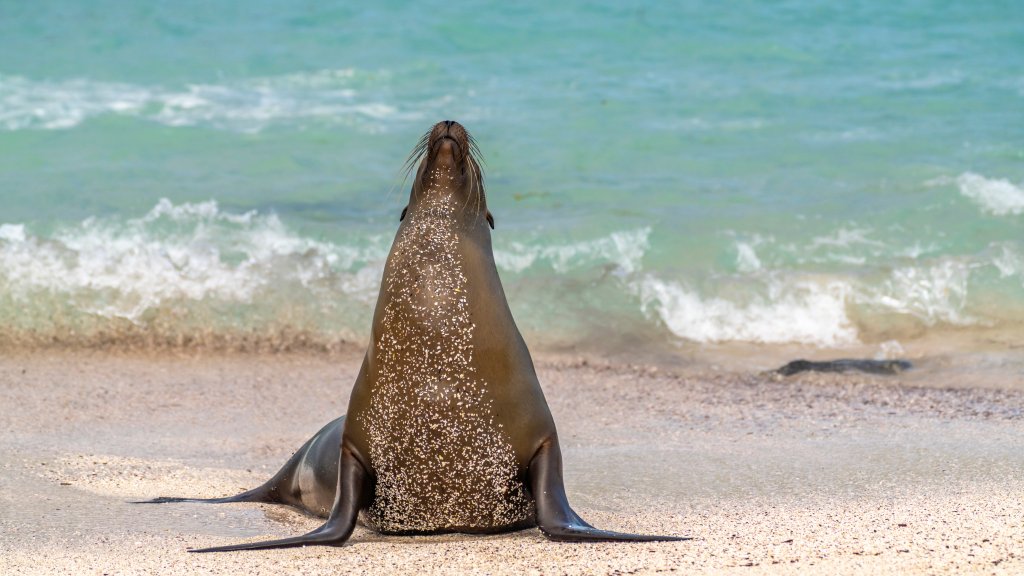
Sea Lion, Espanola Island, Galapagos NP, Ecuador
Sign in to add this photo to your favorites and desktop wallpaper rotation.
The Sea Lion is a notable feature of Española Island, which is part of the Galápagos National Park in Ecuador. Española Island, also known as Hood Island, is the southernmost island in the Galápagos archipelago and is renowned for its rich biodiversity and unique wildlife. The sea lions on Española Island are one of the island's main attractions. These playful and curious creatures are often seen lounging on the beaches, swimming in the waters, or interacting with visitors. The Galápagos sea lion is a subspecies of the California sea lion and is known for its social behavior and agility in the water. Española Island is also famous for its other wildlife, including the waved albatross, which breeds almost exclusively on the island. The island's landscape features beautiful beaches, rocky shores, and dramatic cliffs, providing a stunning backdrop for wildlife viewing. Visitors to Española Island can explore its natural beauty through guided tours, which often include opportunities for snorkeling, hiking, and observing the diverse flora and fauna. The island is part of the protected Galápagos National Park, which aims to preserve its unique ecosystems and species. Overall, Sea Lion on Española Island offers a remarkable experience for nature enthusiasts and those interested in observing the distinctive wildlife of the Galápagos Islands.
How to Set as Desktop Wallpaper
Download this photo and set it as your desktop background in seconds. Works on Windows and Mac.
Windows 11
- Right-click the image above and choose Save image as…
- Open Settings → Personalization → Background.
- Under Personalize your background, select Picture.
- Click Browse photos and pick the downloaded file.
Windows 10
- Right-click the image above and choose Save image as…
- Right-click the saved file and select Set as desktop background.
- Or open Settings → Personalization → Background and browse to the file.
macOS
- Control-click the image above and choose Save Image As…
- Open System Settings → Wallpaper (or System Preferences → Desktop & Screen Saver on older macOS).
- Click Add Photo and select the downloaded file.
Prefer one-click install and automatic rotation? Download the free Webshots app for Windows and Mac.