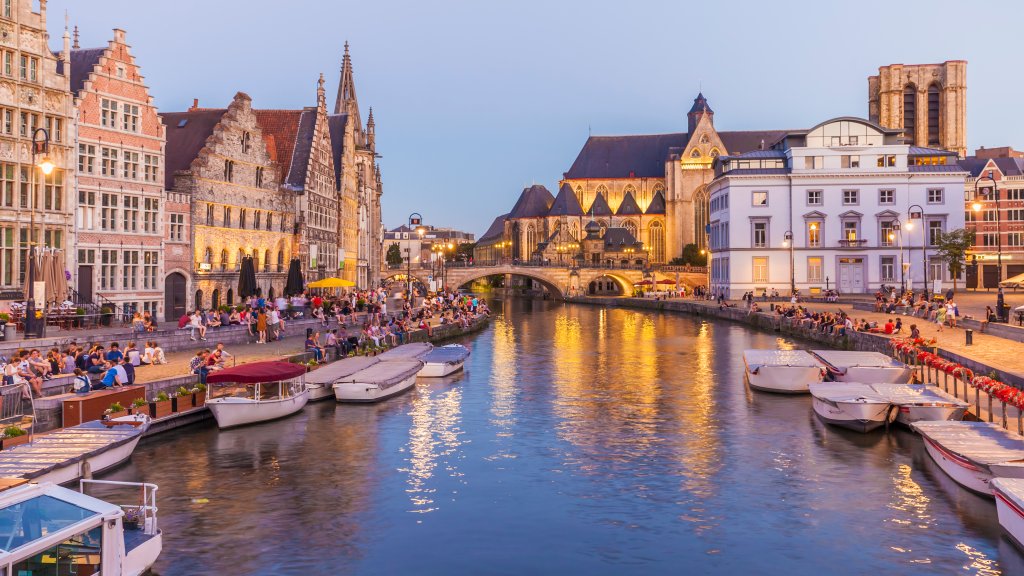
Korenlei and Graslei, River Leie, Ghent, Belgium
Sign in to add this photo to your favorites and desktop wallpaper rotation.
Korenlei and Graslei are two picturesque streets located along the River Leie in the heart of Ghent, Belgium. These streets are renowned for their stunning medieval architecture and vibrant atmosphere, making them popular destinations for both tourists and locals. Graslei, which translates to "Grass Quay," and Korenlei, meaning "Corn Quay," were historically significant as bustling trade centers during the Middle Ages. The buildings along these quays were originally used as guild houses, warehouses, and merchant homes, reflecting the prosperity of Ghent as a major trading hub during that era. Today, the area is known for its beautiful historic facades, many of which have been meticulously preserved or restored. The architecture along these streets showcases a mix of styles, including Gothic, Renaissance, and Baroque, offering a visual feast for visitors. The picturesque setting is further enhanced by the River Leie, which flows gently between the two quays, providing a charming backdrop. Korenlei and Graslei are popular spots for dining and leisure, with numerous cafes, restaurants, and bars lining the streets. Visitors can enjoy a meal or a drink while taking in the scenic views of the river and the historic buildings. The area is also a popular starting point for boat tours, allowing visitors to explore Ghent from the water and gain a different perspective on the city's architectural beauty. Throughout the year, Korenlei and Graslei host various events and festivals, adding to the lively atmosphere. The area is particularly enchanting during the Ghent Light Festival and other cultural celebrations, when the buildings and riverbanks are illuminated with colorful lights and artistic installations. Overall, Korenlei and Graslei are must-visit destinations in Ghent, offering a unique blend of history, architecture, and vibrant city life along the picturesque River Leie.
How to Set as Desktop Wallpaper
Download this photo and set it as your desktop background in seconds. Works on Windows and Mac.
Windows 11
- Right-click the image above and choose Save image as…
- Open Settings → Personalization → Background.
- Under Personalize your background, select Picture.
- Click Browse photos and pick the downloaded file.
Windows 10
- Right-click the image above and choose Save image as…
- Right-click the saved file and select Set as desktop background.
- Or open Settings → Personalization → Background and browse to the file.
macOS
- Control-click the image above and choose Save Image As…
- Open System Settings → Wallpaper (or System Preferences → Desktop & Screen Saver on older macOS).
- Click Add Photo and select the downloaded file.
Prefer one-click install and automatic rotation? Download the free Webshots app for Windows and Mac.