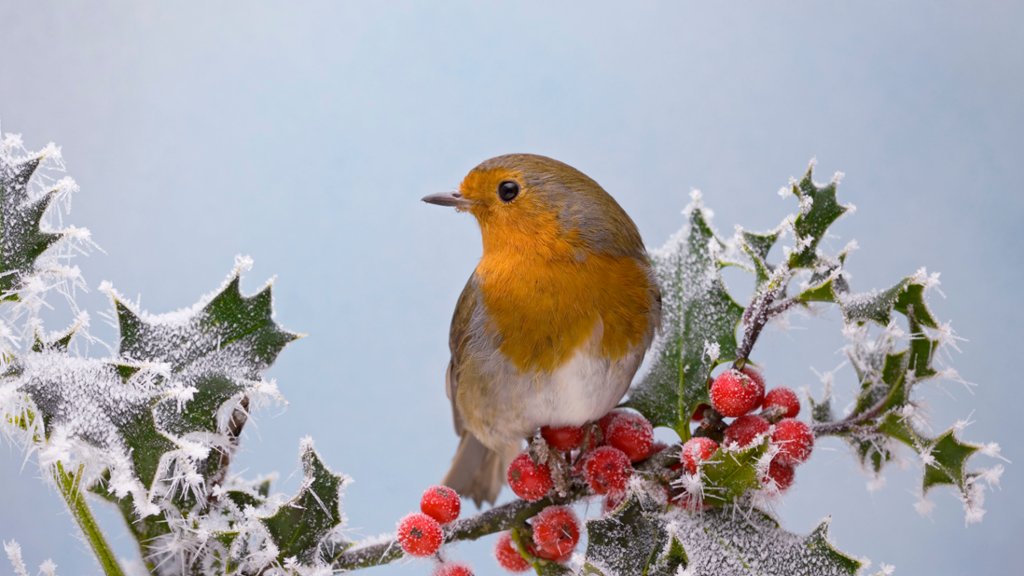
A Robin on Frosted Holly, Bedfordshire, UK
Sign in to add this photo to your favorites and desktop wallpaper rotation.
Bedfordshire is a county located in the East of England, bordering Hertfordshire to the south, Cambridgeshire to the east, Buckinghamshire to the west, and Northamptonshire to the north. The county town is Bedford, which is also the largest town in the county. Bedfordshire has a rich history dating back to medieval times, with many historic sites and landmarks to explore, including Woburn Abbey, Wrest Park, and the historic market town of Ampthill. The county is also known for its picturesque countryside, including the Chiltern Hills Area of Outstanding Natural Beauty and the River Great Ouse, which flows through the county. In terms of economy, Bedfordshire has a diverse range of industries, including agriculture, manufacturing, and technology. The county is home to several major companies, including Vauxhall Motors, Cranfield University, and London Luton Airport. Bedfordshire also has a vibrant cultural scene, with a variety of museums, galleries, and theatres to explore. The county hosts several annual events and festivals, such as the Bedford River Festival and the Luton International Carnival. Overall, Bedfordshire is a diverse and dynamic county with a rich history, beautiful countryside, and plenty of attractions to explore.
How to Set as Desktop Wallpaper
Download this photo and set it as your desktop background in seconds. Works on Windows and Mac.
Windows 11
- Right-click the image above and choose Save image as…
- Open Settings → Personalization → Background.
- Under Personalize your background, select Picture.
- Click Browse photos and pick the downloaded file.
Windows 10
- Right-click the image above and choose Save image as…
- Right-click the saved file and select Set as desktop background.
- Or open Settings → Personalization → Background and browse to the file.
macOS
- Control-click the image above and choose Save Image As…
- Open System Settings → Wallpaper (or System Preferences → Desktop & Screen Saver on older macOS).
- Click Add Photo and select the downloaded file.
Prefer one-click install and automatic rotation? Download the free Webshots app for Windows and Mac.