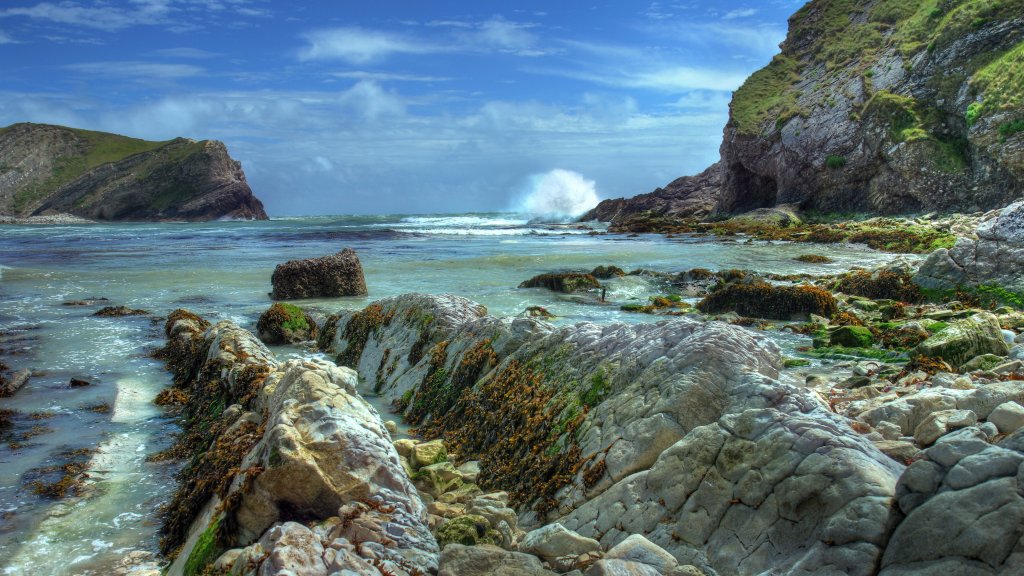
Lulworth Cove, Jurassic Coast, Dorset, England
Sign in to add this photo to your favorites and desktop wallpaper rotation.
Lulworth Cove is a picturesque, natural cove located on the Jurassic Coast in Dorset, England. It is renowned for its unique geological formations and stunning natural beauty. The cove was formed approximately 10,000 years ago by the combined forces of river erosion and the sea, creating a distinctive horseshoe shape. This geological feature is part of the Jurassic Coast, a UNESCO World Heritage Site, which stretches for 95 miles and is famous for its rich geological history and fossil discoveries. The surrounding area of Lulworth Cove offers a variety of attractions and activities for visitors. The nearby Lulworth Estate provides scenic walking trails, including the South West Coast Path, which offers breathtaking views of the coastline. The cove itself is a popular spot for swimming, kayaking, and exploring the rock pools. Additionally, the Lulworth Heritage Centre provides educational exhibits about the area's geology, history, and wildlife. Visitors to Lulworth Cove can also explore the nearby Durdle Door, a natural limestone arch that is another iconic feature of the Jurassic Coast. The region is not only a haven for geology enthusiasts but also a popular destination for tourists seeking to enjoy the natural beauty and tranquility of the English coastline.
How to Set as Desktop Wallpaper
Download this photo and set it as your desktop background in seconds. Works on Windows and Mac.
Windows 11
- Right-click the image above and choose Save image as…
- Open Settings → Personalization → Background.
- Under Personalize your background, select Picture.
- Click Browse photos and pick the downloaded file.
Windows 10
- Right-click the image above and choose Save image as…
- Right-click the saved file and select Set as desktop background.
- Or open Settings → Personalization → Background and browse to the file.
macOS
- Control-click the image above and choose Save Image As…
- Open System Settings → Wallpaper (or System Preferences → Desktop & Screen Saver on older macOS).
- Click Add Photo and select the downloaded file.
Prefer one-click install and automatic rotation? Download the free Webshots app for Windows and Mac.