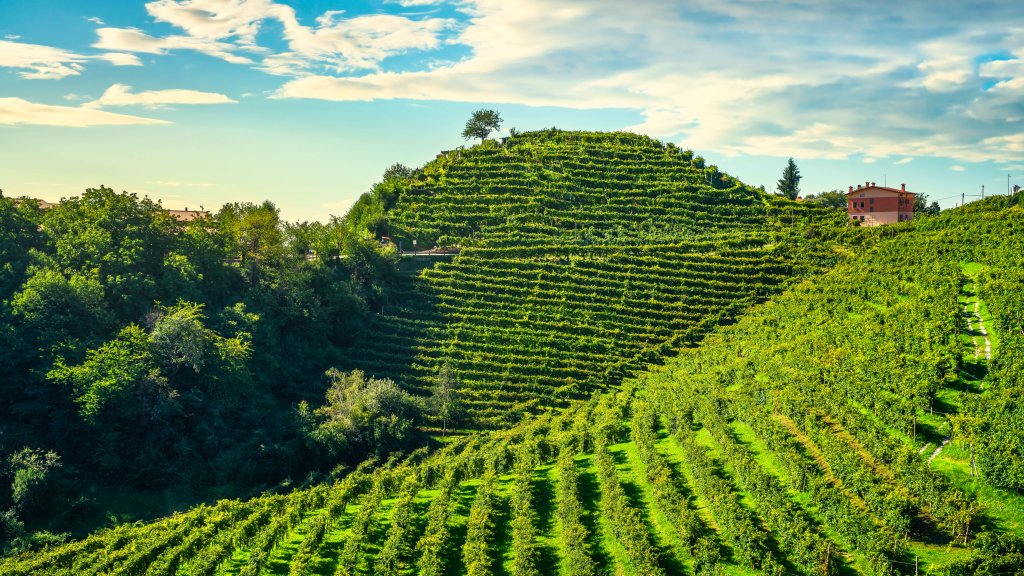
Unesco Site, Prosecco Hills, Valdobbiadene, Italy
Sign in to add this photo to your favorites and desktop wallpaper rotation.
Valdobbiadene is a picturesque area located in the Veneto region of northeastern Italy, renowned for its production of Prosecco wine. In 2019, the Conegliano and Valdobbiadene hills were recognized as a UNESCO World Heritage Site. This designation highlights the region's unique cultural landscape, characterized by its steep hills, terraced vineyards, and traditional viticulture practices. The area is celebrated for its centuries-old winemaking traditions, which have shaped the landscape and contributed to its cultural significance. The vineyards are primarily dedicated to the cultivation of Glera grapes, the primary variety used in producing Prosecco. The traditional method of growing and harvesting these grapes on the steep slopes has been passed down through generations, maintaining the authenticity and quality of the wine. In addition to its viticultural importance, the Valdobbiadene region is also known for its stunning natural beauty. The rolling hills and scenic vistas attract tourists who come to enjoy the landscape, taste the local wines, and experience the rich cultural heritage of the area. The UNESCO designation helps to preserve the unique character of the region, ensuring that its natural and cultural resources are protected for future generations.
How to Set as Desktop Wallpaper
Download this photo and set it as your desktop background in seconds. Works on Windows and Mac.
Windows 11
- Right-click the image above and choose Save image as…
- Open Settings → Personalization → Background.
- Under Personalize your background, select Picture.
- Click Browse photos and pick the downloaded file.
Windows 10
- Right-click the image above and choose Save image as…
- Right-click the saved file and select Set as desktop background.
- Or open Settings → Personalization → Background and browse to the file.
macOS
- Control-click the image above and choose Save Image As…
- Open System Settings → Wallpaper (or System Preferences → Desktop & Screen Saver on older macOS).
- Click Add Photo and select the downloaded file.
Prefer one-click install and automatic rotation? Download the free Webshots app for Windows and Mac.