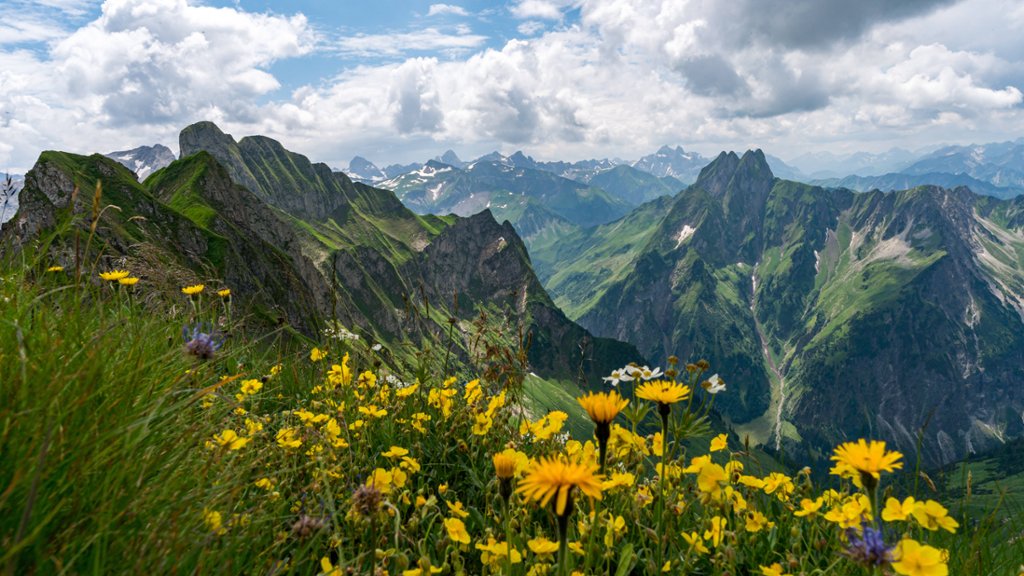
Wild Flowers, Bavarian Allgau Alps, Germany
Sign in to add this photo to your favorites and desktop wallpaper rotation.
Wild Flowers in the Bavarian Allgau Alps, Germany is a beautiful natural phenomenon that occurs in the alpine region of Bavaria. The Allgau Alps are known for their stunning landscapes, including lush meadows filled with colorful wildflowers. During the spring and summer months, the meadows come alive with a vibrant display of wildflowers, including edelweiss, gentian, alpine rose, and many others. These flowers carpet the hillsides and valleys, creating a picturesque scene that attracts visitors from around the world. The wildflowers in the Bavarian Allgau Alps are not only beautiful to look at, but they also play an important role in the local ecosystem. They provide food and shelter for a variety of insects, birds, and other wildlife, contributing to the biodiversity of the region. Visitors to the area can enjoy hiking through the meadows and taking in the stunning display of wildflowers, as well as taking part in guided tours and educational programs to learn more about the flora and fauna of the region. Overall, the wildflowers in the Bavarian Allgau Alps are a must-see attraction for nature lovers and outdoor enthusiasts looking to experience the beauty and diversity of the alpine region in Germany.
How to Set as Desktop Wallpaper
Download this photo and set it as your desktop background in seconds. Works on Windows and Mac.
Windows 11
- Right-click the image above and choose Save image as…
- Open Settings → Personalization → Background.
- Under Personalize your background, select Picture.
- Click Browse photos and pick the downloaded file.
Windows 10
- Right-click the image above and choose Save image as…
- Right-click the saved file and select Set as desktop background.
- Or open Settings → Personalization → Background and browse to the file.
macOS
- Control-click the image above and choose Save Image As…
- Open System Settings → Wallpaper (or System Preferences → Desktop & Screen Saver on older macOS).
- Click Add Photo and select the downloaded file.
Prefer one-click install and automatic rotation? Download the free Webshots app for Windows and Mac.