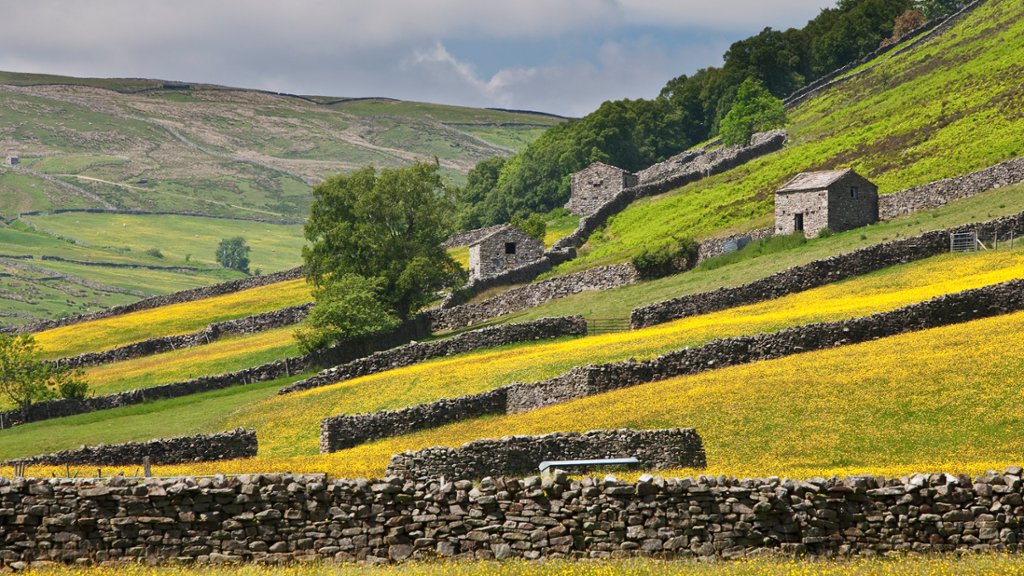
Drystone Walls and Stone Barns, Yorkshire Dales NP, UK
Sign in to add this photo to your favorites and desktop wallpaper rotation.
The Yorkshire Dales National Park in the UK is known for its stunning landscapes, which are dotted with traditional drystone walls and stone barns. These structures are a key feature of the region's agricultural heritage and have been built using locally sourced materials for centuries. Drystone walls are constructed without the use of mortar, with the stones carefully placed and stacked to create a sturdy and durable barrier. They are used to divide fields, contain livestock, and mark boundaries, and can be found crisscrossing the rolling hills of the Yorkshire Dales. Stone barns, on the other hand, are traditional agricultural buildings made from the same locally sourced stone as the drystone walls. These barns were used to store crops, hay, and livestock, and often feature distinctive architectural details such as stone slate roofs and small windows. Both drystone walls and stone barns are important cultural and historical landmarks in the Yorkshire Dales National Park, serving as a reminder of the region's rich farming heritage. They also add to the beauty of the landscape, blending seamlessly with the natural surroundings and providing a glimpse into the traditional way of life in the area.
How to Set as Desktop Wallpaper
Download this photo and set it as your desktop background in seconds. Works on Windows and Mac.
Windows 11
- Right-click the image above and choose Save image as…
- Open Settings → Personalization → Background.
- Under Personalize your background, select Picture.
- Click Browse photos and pick the downloaded file.
Windows 10
- Right-click the image above and choose Save image as…
- Right-click the saved file and select Set as desktop background.
- Or open Settings → Personalization → Background and browse to the file.
macOS
- Control-click the image above and choose Save Image As…
- Open System Settings → Wallpaper (or System Preferences → Desktop & Screen Saver on older macOS).
- Click Add Photo and select the downloaded file.
Prefer one-click install and automatic rotation? Download the free Webshots app for Windows and Mac.