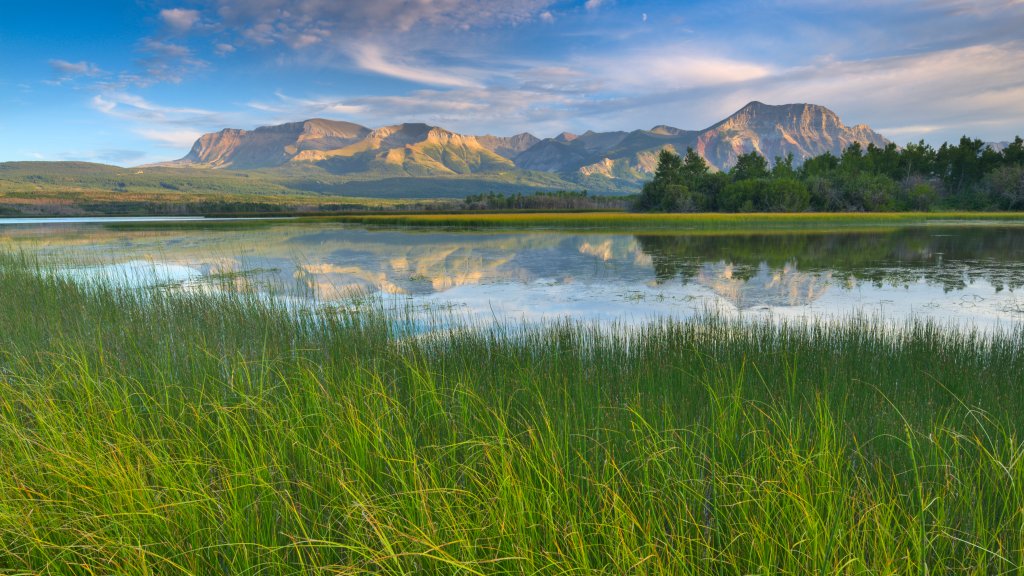
Maskinonge Lake, Sofa Mountain, Waterton Lakes NP, Canada
Sign in to add this photo to your favorites and desktop wallpaper rotation.
Maskinonge Lake is a stunning alpine lake located in Waterton Lakes National Park in Alberta, Canada. The lake is surrounded by lush forests and towering mountains, making it a popular destination for outdoor enthusiasts and nature lovers. Sofa Mountain is a prominent peak that rises above Maskinonge Lake, offering breathtaking views of the surrounding landscape. The mountain is known for its unique shape, resembling a sofa when viewed from certain angles. Waterton Lakes National Park is a UNESCO World Heritage Site and a designated biosphere reserve, known for its diverse wildlife, pristine lakes, and rugged mountains. The park offers a wide range of outdoor activities, including hiking, biking, camping, and wildlife watching. Visitors to Maskinonge Lake and Sofa Mountain can enjoy a variety of recreational opportunities, such as hiking trails, fishing, and kayaking. The area is also home to a variety of wildlife, including bears, elk, and bighorn sheep, making it a great spot for wildlife viewing. Overall, Maskinonge Lake, Sofa Mountain, and Waterton Lakes National Park offer a truly unique and unforgettable experience for those looking to explore the beauty of the Canadian Rockies.
How to Set as Desktop Wallpaper
Download this photo and set it as your desktop background in seconds. Works on Windows and Mac.
Windows 11
- Right-click the image above and choose Save image as…
- Open Settings → Personalization → Background.
- Under Personalize your background, select Picture.
- Click Browse photos and pick the downloaded file.
Windows 10
- Right-click the image above and choose Save image as…
- Right-click the saved file and select Set as desktop background.
- Or open Settings → Personalization → Background and browse to the file.
macOS
- Control-click the image above and choose Save Image As…
- Open System Settings → Wallpaper (or System Preferences → Desktop & Screen Saver on older macOS).
- Click Add Photo and select the downloaded file.
Prefer one-click install and automatic rotation? Download the free Webshots app for Windows and Mac.