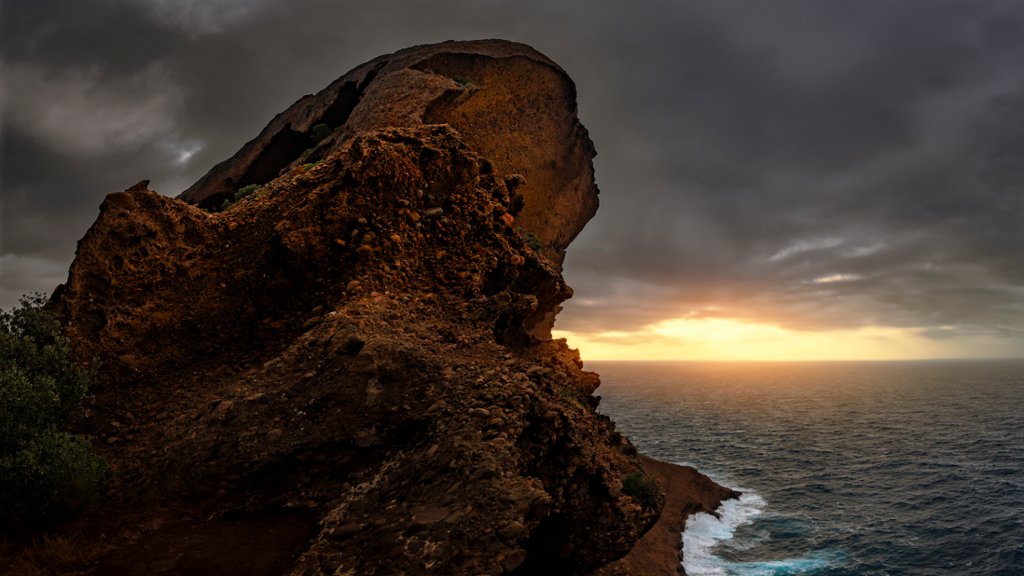
The Eagle's Beak, Calanques National Park, France
Sign in to add this photo to your favorites and desktop wallpaper rotation.
The Eagle's Beak, also known as La Bécasse in French, is a famous rock formation located in the Calanques National Park in southern France. The Eagle's Beak is a tall limestone pillar that juts out from the cliffs of the Calanques, offering stunning views of the Mediterranean Sea and the surrounding landscape. The rock formation gets its name from its resemblance to the beak of an eagle, with a sharp and pointed tip that reaches towards the sky. The Eagle's Beak is a popular spot for rock climbers and hikers, who come to challenge themselves on its vertical walls and enjoy the breathtaking views from the top. The Calanques National Park is a protected area that spans over 20 kilometers of coastline along the Mediterranean Sea, known for its rugged cliffs, crystal-clear waters, and diverse marine life. The park is a haven for outdoor enthusiasts, offering a wide range of activities such as hiking, rock climbing, swimming, and kayaking. Visitors to the Calanques National Park can explore the stunning landscapes, discover hidden coves and beaches, and marvel at the natural beauty of the Eagle's Beak and other iconic rock formations in the area. The park is also home to a variety of plant and animal species, including rare seabirds, making it a unique and important conservation area in France.
How to Set as Desktop Wallpaper
Download this photo and set it as your desktop background in seconds. Works on Windows and Mac.
Windows 11
- Right-click the image above and choose Save image as…
- Open Settings → Personalization → Background.
- Under Personalize your background, select Picture.
- Click Browse photos and pick the downloaded file.
Windows 10
- Right-click the image above and choose Save image as…
- Right-click the saved file and select Set as desktop background.
- Or open Settings → Personalization → Background and browse to the file.
macOS
- Control-click the image above and choose Save Image As…
- Open System Settings → Wallpaper (or System Preferences → Desktop & Screen Saver on older macOS).
- Click Add Photo and select the downloaded file.
Prefer one-click install and automatic rotation? Download the free Webshots app for Windows and Mac.