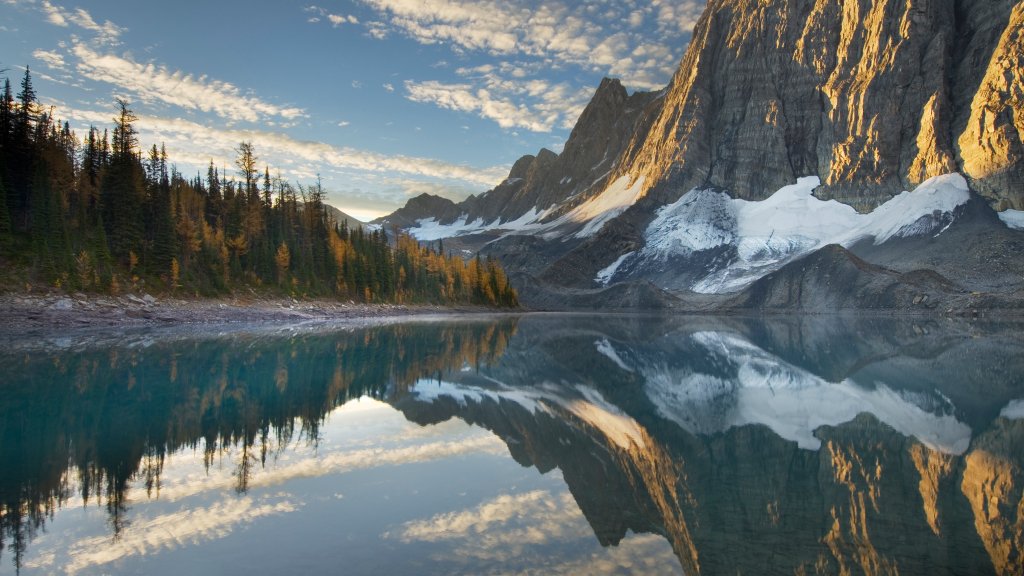
The Rockwall and Floe Lake, Kootenay NP, Canada
Sign in to add this photo to your favorites and desktop wallpaper rotation.
The Rockwall and Floe Lake are prominent features within Kootenay National Park, located in the Canadian Rockies of British Columbia, Canada. This area is renowned for its stunning natural beauty and is a popular destination for hikers and outdoor enthusiasts. The Rockwall is a massive limestone cliff that stretches for approximately 55 kilometers (34 miles) and forms a dramatic backdrop for the Rockwall Trail, one of the most scenic multi-day hiking routes in the Canadian Rockies. The trail offers breathtaking views of rugged peaks, glaciers, and alpine meadows. It typically takes three to five days to complete the entire trail, depending on the pace and specific route taken. The Rockwall Trail is known for its challenging terrain, with significant elevation changes and varying weather conditions, making it suitable for experienced hikers. Floe Lake is one of the highlights along the Rockwall Trail. It is a stunning glacial lake surrounded by towering peaks and dense forests. The lake's turquoise waters are fed by meltwater from nearby glaciers, creating a picturesque setting. Floe Lake is a popular spot for camping, with a designated backcountry campground located nearby. The area around the lake offers opportunities for photography, wildlife viewing, and simply enjoying the tranquility of the natural environment. Both The Rockwall and Floe Lake are part of Kootenay National Park, which is known for its diverse ecosystems, including montane forests, alpine meadows, and glacial landscapes. The park is home to a variety of wildlife, such as bears, elk, mountain goats, and numerous bird species. Visitors to the park can enjoy a range of outdoor activities, including hiking, camping, and exploring the park's natural and cultural history. Overall, The Rockwall and Floe Lake offer a quintessential Canadian Rockies experience, combining challenging outdoor adventure with some of the most spectacular scenery in the region.
How to Set as Desktop Wallpaper
Download this photo and set it as your desktop background in seconds. Works on Windows and Mac.
Windows 11
- Right-click the image above and choose Save image as…
- Open Settings → Personalization → Background.
- Under Personalize your background, select Picture.
- Click Browse photos and pick the downloaded file.
Windows 10
- Right-click the image above and choose Save image as…
- Right-click the saved file and select Set as desktop background.
- Or open Settings → Personalization → Background and browse to the file.
macOS
- Control-click the image above and choose Save Image As…
- Open System Settings → Wallpaper (or System Preferences → Desktop & Screen Saver on older macOS).
- Click Add Photo and select the downloaded file.
Prefer one-click install and automatic rotation? Download the free Webshots app for Windows and Mac.