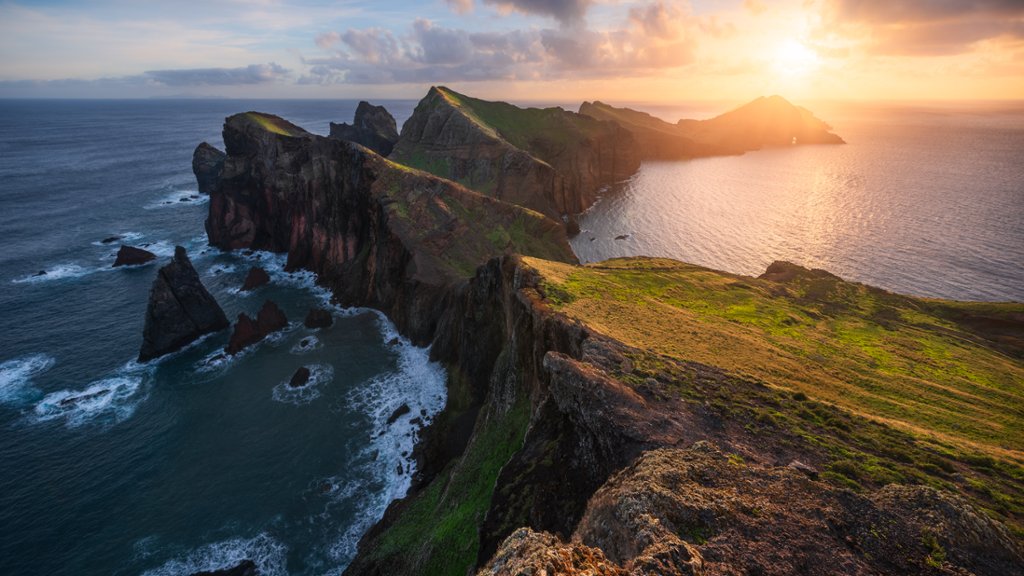
Ponta de Sao Lourenco, Madeira, Portugal
Sign in to add this photo to your favorites and desktop wallpaper rotation.
Ponta de Sao Lourenco is a rugged and beautiful peninsula located on the easternmost tip of the island of Madeira in Portugal. It is known for its dramatic cliffs, stunning coastal views, and unique flora and fauna. The peninsula is a protected natural reserve and is a popular destination for hikers and nature lovers. There are several walking trails that wind their way along the coastline, offering incredible views of the Atlantic Ocean and surrounding landscapes. Ponta de Sao Lourenco is also home to a variety of plant and animal species, including seabirds, reptiles, and rare endemic plants. The area is a haven for birdwatchers and photographers looking to capture the natural beauty of the region. Visitors to Ponta de Sao Lourenco can enjoy swimming and snorkeling in the crystal-clear waters, as well as picnicking on the sandy beaches. The peninsula is also a great spot for watching the sunrise or sunset, with its dramatic cliffs providing the perfect backdrop for a memorable experience. Overall, Ponta de Sao Lourenco is a must-visit destination for anyone exploring the island of Madeira and looking to experience the natural beauty of Portugal's coastline.
How to Set as Desktop Wallpaper
Download this photo and set it as your desktop background in seconds. Works on Windows and Mac.
Windows 11
- Right-click the image above and choose Save image as…
- Open Settings → Personalization → Background.
- Under Personalize your background, select Picture.
- Click Browse photos and pick the downloaded file.
Windows 10
- Right-click the image above and choose Save image as…
- Right-click the saved file and select Set as desktop background.
- Or open Settings → Personalization → Background and browse to the file.
macOS
- Control-click the image above and choose Save Image As…
- Open System Settings → Wallpaper (or System Preferences → Desktop & Screen Saver on older macOS).
- Click Add Photo and select the downloaded file.
Prefer one-click install and automatic rotation? Download the free Webshots app for Windows and Mac.