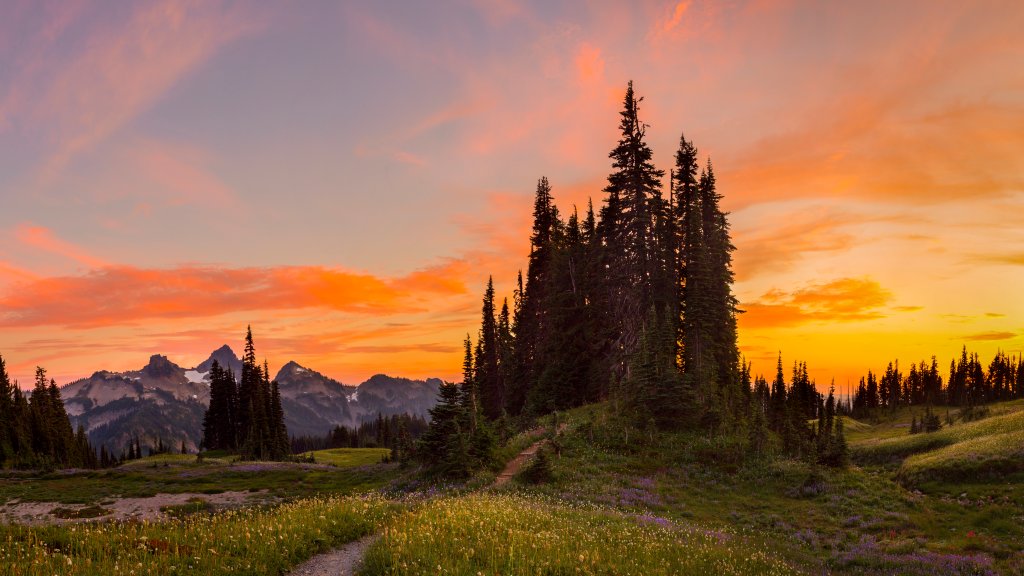
Mazama Ridge, Mt. Rainier National Park, WA
Sign in to add this photo to your favorites and desktop wallpaper rotation.
Mazama Ridge is a scenic area located within Mount Rainier National Park in Washington State. It is known for its stunning views, especially of Mount Rainier itself, and its vibrant wildflower meadows during the summer months. The ridge is a popular destination for hiking, snowshoeing, and photography due to its accessible trails and picturesque landscapes. In the summer, the trails around Mazama Ridge offer a chance to see a variety of wildflowers, including lupines, paintbrushes, and avalanche lilies. The area is also home to diverse wildlife, such as marmots, deer, and various bird species. The trails can vary in difficulty, making it suitable for both casual hikers and those looking for a more challenging trek. During the winter, Mazama Ridge becomes a favored spot for snowshoeing and cross-country skiing. The snow-covered landscape provides a serene and beautiful winter wonderland experience. However, visitors should be prepared for winter conditions and check for avalanche warnings, as the area can be prone to avalanches. The Paradise area, which serves as a starting point for many trails leading to Mazama Ridge, is one of the most visited areas in the park. It offers amenities such as the Paradise Jackson Visitor Center, where visitors can learn more about the park's natural history and get information on trail conditions. Overall, Mazama Ridge is a must-visit for those exploring Mount Rainier National Park, offering breathtaking views and a chance to experience the natural beauty of the Pacific Northwest.
How to Set as Desktop Wallpaper
Download this photo and set it as your desktop background in seconds. Works on Windows and Mac.
Windows 11
- Right-click the image above and choose Save image as…
- Open Settings → Personalization → Background.
- Under Personalize your background, select Picture.
- Click Browse photos and pick the downloaded file.
Windows 10
- Right-click the image above and choose Save image as…
- Right-click the saved file and select Set as desktop background.
- Or open Settings → Personalization → Background and browse to the file.
macOS
- Control-click the image above and choose Save Image As…
- Open System Settings → Wallpaper (or System Preferences → Desktop & Screen Saver on older macOS).
- Click Add Photo and select the downloaded file.
Prefer one-click install and automatic rotation? Download the free Webshots app for Windows and Mac.