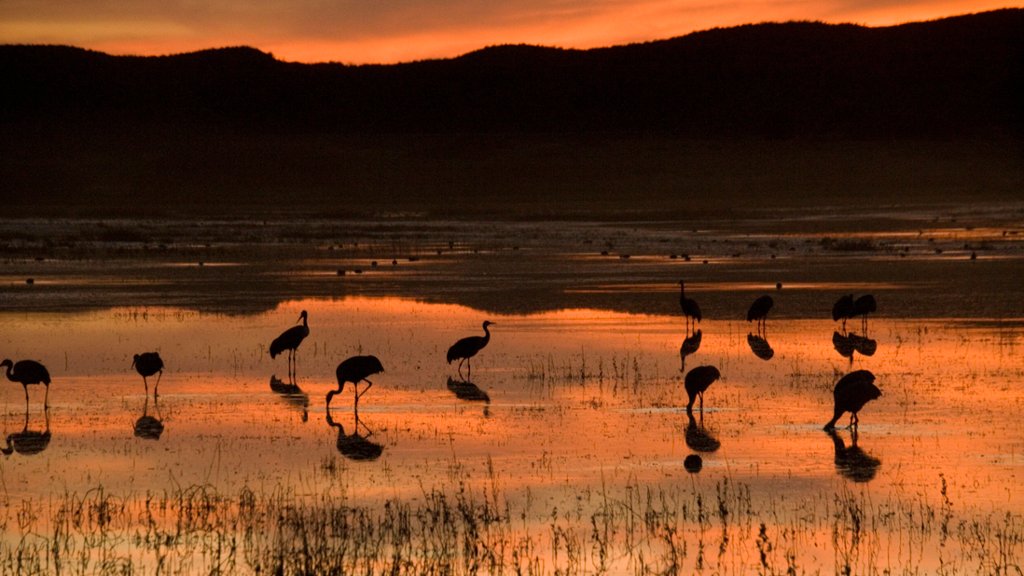
Sandhill Cranes, Bosque del Apache National Wildlife Refuge, NM
Sign in to add this photo to your favorites and desktop wallpaper rotation.
Sandhill cranes are large birds that are known for their distinctive red crown and gray plumage. They have a wingspan of over six feet and stand around four feet tall. These birds are known for their unique and haunting calls, which they use to communicate with each other. Bosque del Apache National Wildlife Refuge in New Mexico is a famous destination for birdwatchers, particularly during the winter months when thousands of sandhill cranes flock to the area. The refuge is located along the Rio Grande River and provides important habitat for a wide variety of bird species, including sandhill cranes, snow geese, and various species of waterfowl. During the winter, the sandhill cranes can be seen flying in large flocks, performing their characteristic "dancing" displays as they court and communicate with each other. Visitors to Bosque del Apache can witness this spectacle up close from observation areas and hiking trails throughout the refuge. Overall, Bosque del Apache National Wildlife Refuge is a popular destination for birdwatchers and nature enthusiasts, offering a unique opportunity to observe the natural beauty and diversity of the area's bird population, including the majestic sandhill cranes.
How to Set as Desktop Wallpaper
Download this photo and set it as your desktop background in seconds. Works on Windows and Mac.
Windows 11
- Right-click the image above and choose Save image as…
- Open Settings → Personalization → Background.
- Under Personalize your background, select Picture.
- Click Browse photos and pick the downloaded file.
Windows 10
- Right-click the image above and choose Save image as…
- Right-click the saved file and select Set as desktop background.
- Or open Settings → Personalization → Background and browse to the file.
macOS
- Control-click the image above and choose Save Image As…
- Open System Settings → Wallpaper (or System Preferences → Desktop & Screen Saver on older macOS).
- Click Add Photo and select the downloaded file.
Prefer one-click install and automatic rotation? Download the free Webshots app for Windows and Mac.