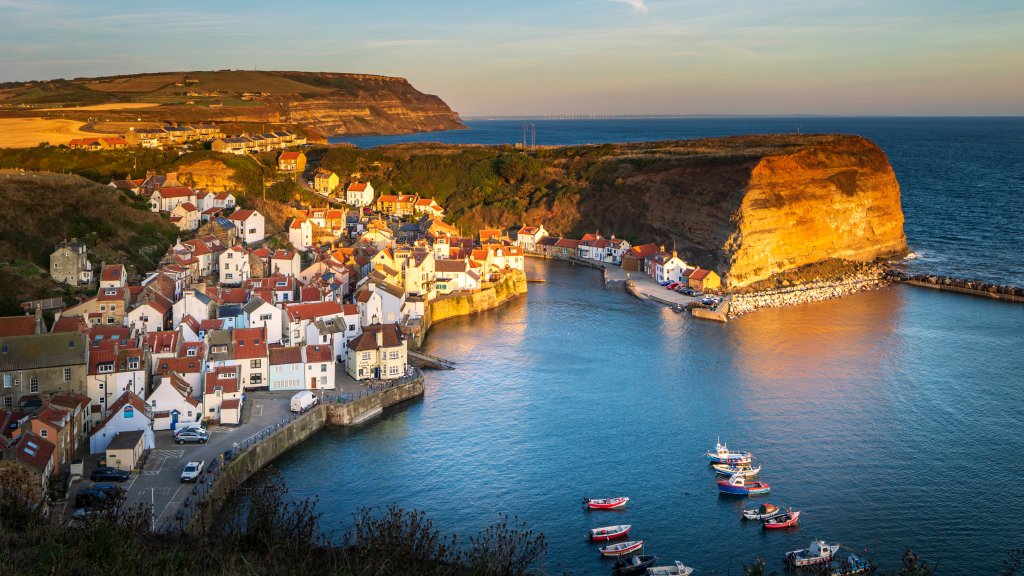
Staithes Harbour, North York Moors National Park, UK
Sign in to add this photo to your favorites and desktop wallpaper rotation.
Staithes Harbour is a picturesque fishing village located on the northeast coast of England, in the North York Moors National Park. The harbour is nestled between towering cliffs and is a popular destination for tourists and artists alike. The harbour has a long history as a fishing port, dating back to the 18th century when it was a bustling hub for the local fishing industry. Today, it is still home to a small fishing fleet and visitors can watch the fishermen bringing in their catch of the day. The village of Staithes itself is a charming and quaint place, with narrow winding streets, traditional cottages, and a smattering of shops, pubs, and cafes. The area has also been a source of inspiration for many artists, including the famous painter, Captain Cook. Staithes Harbour is a popular spot for exploring the rugged coastline, with scenic walks along the cliffs and sandy beaches nearby. The harbour also offers boat trips and fishing excursions for those looking to experience the sea up close. Overall, Staithes Harbour is a charming and historic destination that offers a glimpse into the traditional fishing heritage of the North Yorkshire coast.
How to Set as Desktop Wallpaper
Download this photo and set it as your desktop background in seconds. Works on Windows and Mac.
Windows 11
- Right-click the image above and choose Save image as…
- Open Settings → Personalization → Background.
- Under Personalize your background, select Picture.
- Click Browse photos and pick the downloaded file.
Windows 10
- Right-click the image above and choose Save image as…
- Right-click the saved file and select Set as desktop background.
- Or open Settings → Personalization → Background and browse to the file.
macOS
- Control-click the image above and choose Save Image As…
- Open System Settings → Wallpaper (or System Preferences → Desktop & Screen Saver on older macOS).
- Click Add Photo and select the downloaded file.
Prefer one-click install and automatic rotation? Download the free Webshots app for Windows and Mac.