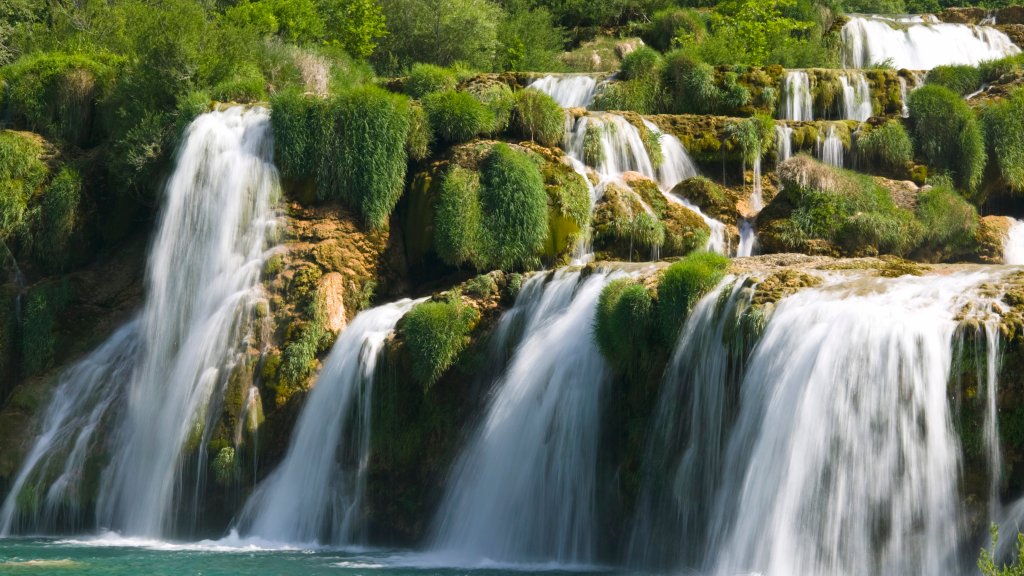
Skradinski Buk Waterfall, Krka National Park, Croatia
Sign in to add this photo to your favorites and desktop wallpaper rotation.
Skradinski Buk is one of the most famous and picturesque waterfalls in Croatia, located within Krka National Park. The park itself is situated in the central Dalmatian region, near the town of Šibenik. Skradinski Buk is renowned for its stunning natural beauty, featuring a series of cascading waterfalls and pools that stretch over a length of approximately 800 meters. The waterfall is formed by the Krka River, which flows over a series of travertine barriers, creating a spectacular display of water tumbling over rocks and lush greenery. Skradinski Buk is the longest and most visited waterfall on the Krka River, attracting tourists from all over the world. Visitors to Skradinski Buk can enjoy a variety of activities, including walking along the well-maintained wooden pathways and bridges that offer breathtaking views of the falls and the surrounding landscape. The area is also rich in flora and fauna, providing opportunities for nature enthusiasts to explore the diverse ecosystem. Swimming is allowed in designated areas near the waterfall, making it a popular spot for cooling off during the hot summer months. Additionally, the park offers educational exhibits and historical sites, such as old water mills and ethnographic collections, providing insight into the region's cultural heritage. Overall, Skradinski Buk is a must-visit destination for anyone traveling to Croatia, offering a perfect blend of natural beauty, recreational activities, and cultural experiences.
How to Set as Desktop Wallpaper
Download this photo and set it as your desktop background in seconds. Works on Windows and Mac.
Windows 11
- Right-click the image above and choose Save image as…
- Open Settings → Personalization → Background.
- Under Personalize your background, select Picture.
- Click Browse photos and pick the downloaded file.
Windows 10
- Right-click the image above and choose Save image as…
- Right-click the saved file and select Set as desktop background.
- Or open Settings → Personalization → Background and browse to the file.
macOS
- Control-click the image above and choose Save Image As…
- Open System Settings → Wallpaper (or System Preferences → Desktop & Screen Saver on older macOS).
- Click Add Photo and select the downloaded file.
Prefer one-click install and automatic rotation? Download the free Webshots app for Windows and Mac.