macOS Screen Saver built in
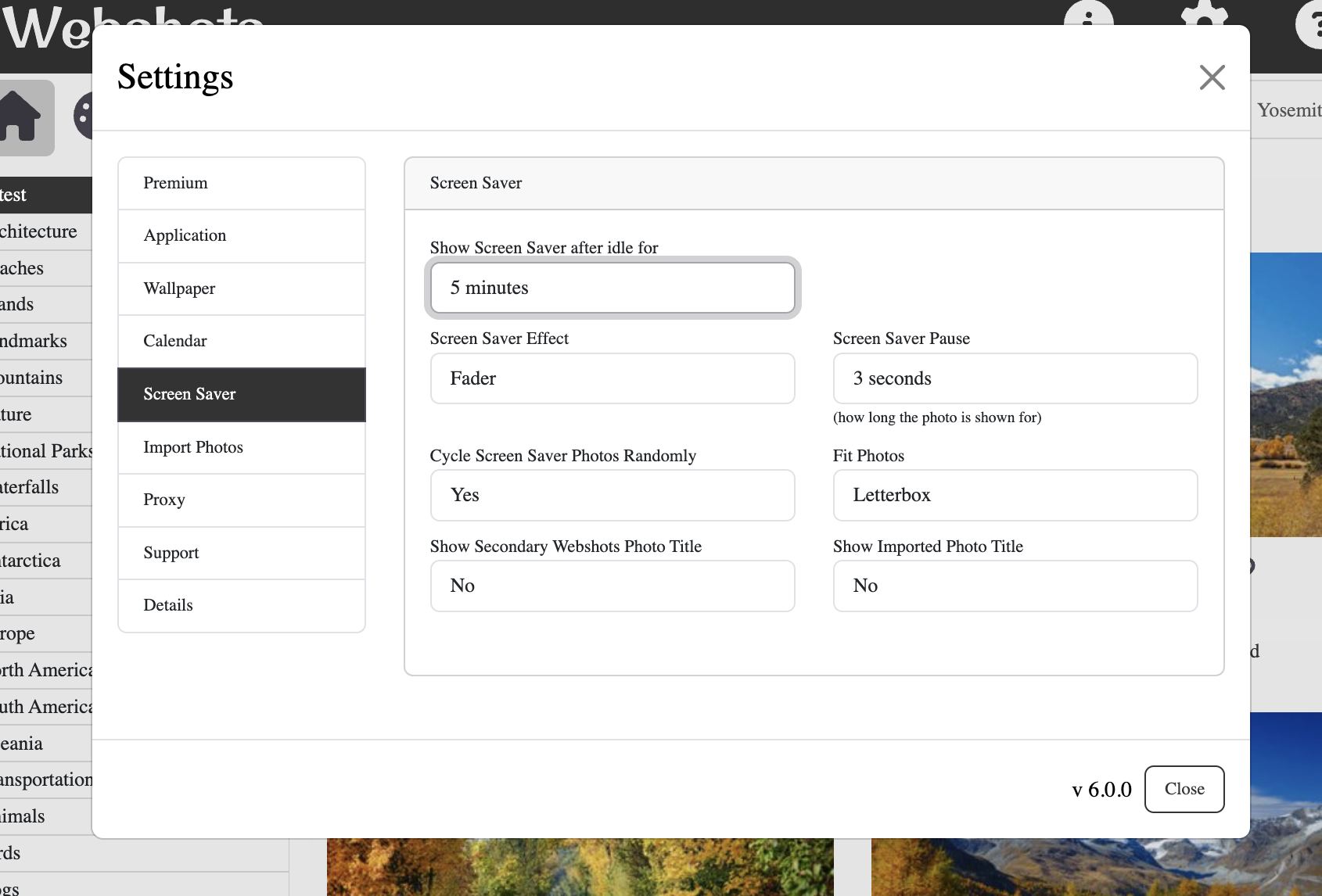
Webshots can use built in Webshots screen saver or the native screen saver on macOS.
(For the native screen saver, see the next faq.)
To configure this:
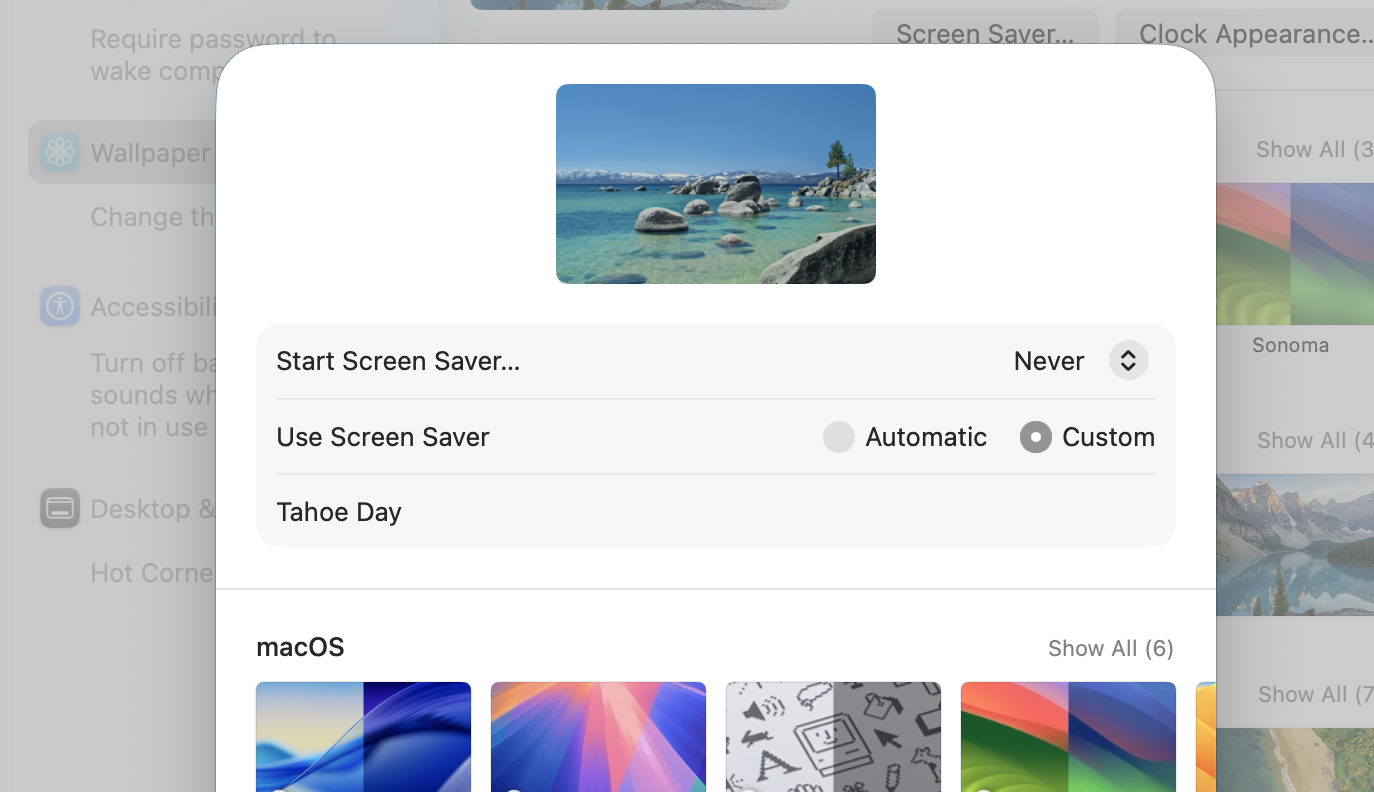
- Turn the native screen saver off: in the Wallpaper panel of System Settings, click the "Screen Saver..." button and set "Start Screen Saver..." to "Never".
- Go to Settings->Screen Saver
- Under "Show Screen Saver after idle for", select an idle time after which the screen saver will start.
Here "Start Screen Saver..." is set to "Never":
You can also change effect, pause and other settings.