macOS Screen Saver native
Webshots can use the native screen saver on macOS.
To configure this:
- Create some Playlists in Webshots.
- Select some Playlists for rotation in the screensaver
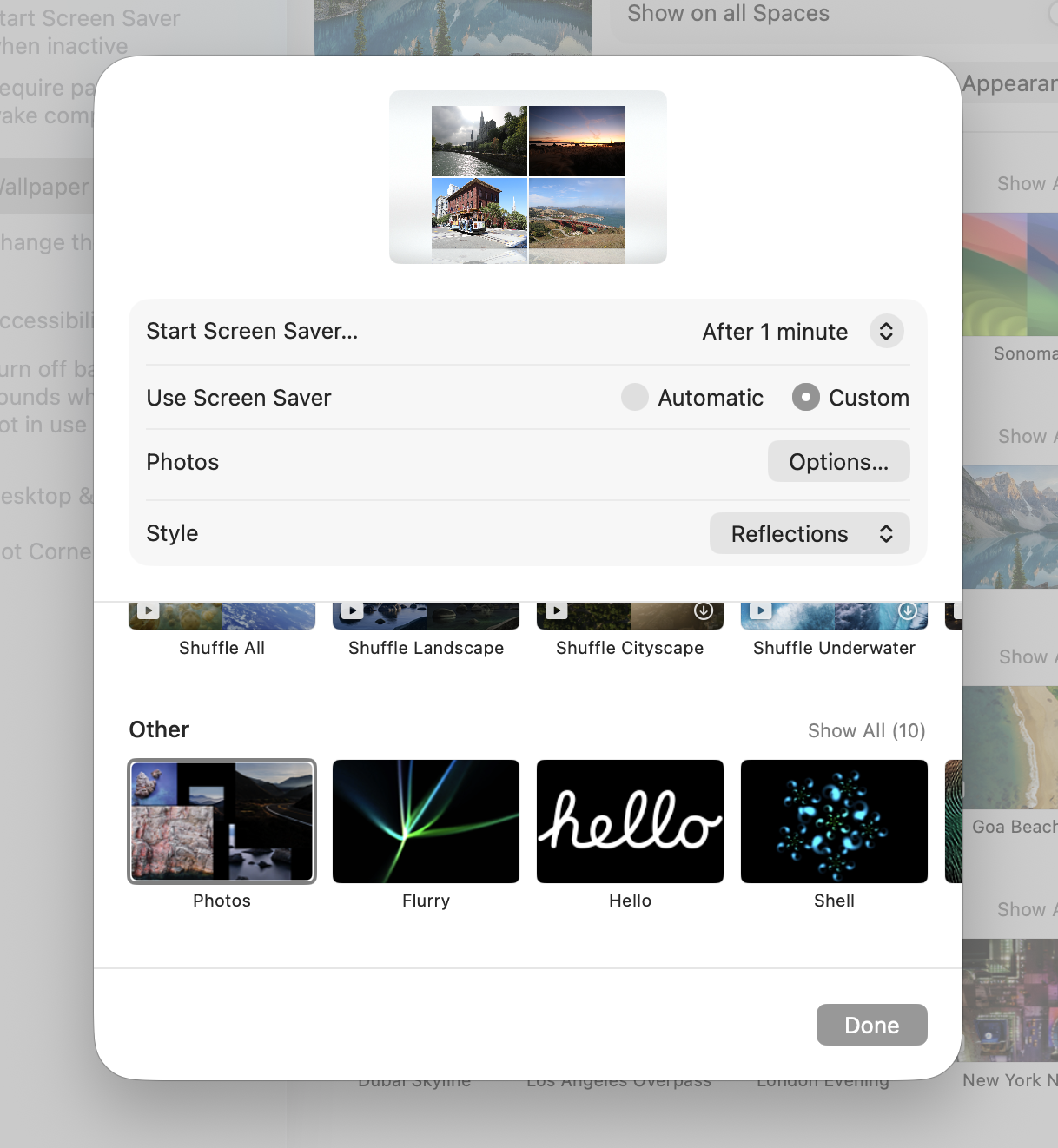
- Go to "System Settings -> Wallpaper" and click the "Screen Saver..." button
- Set "Use Screen Saver" to "Custom", then choose the "Photos" screen saver at the bottom of the gallery (under "Other")
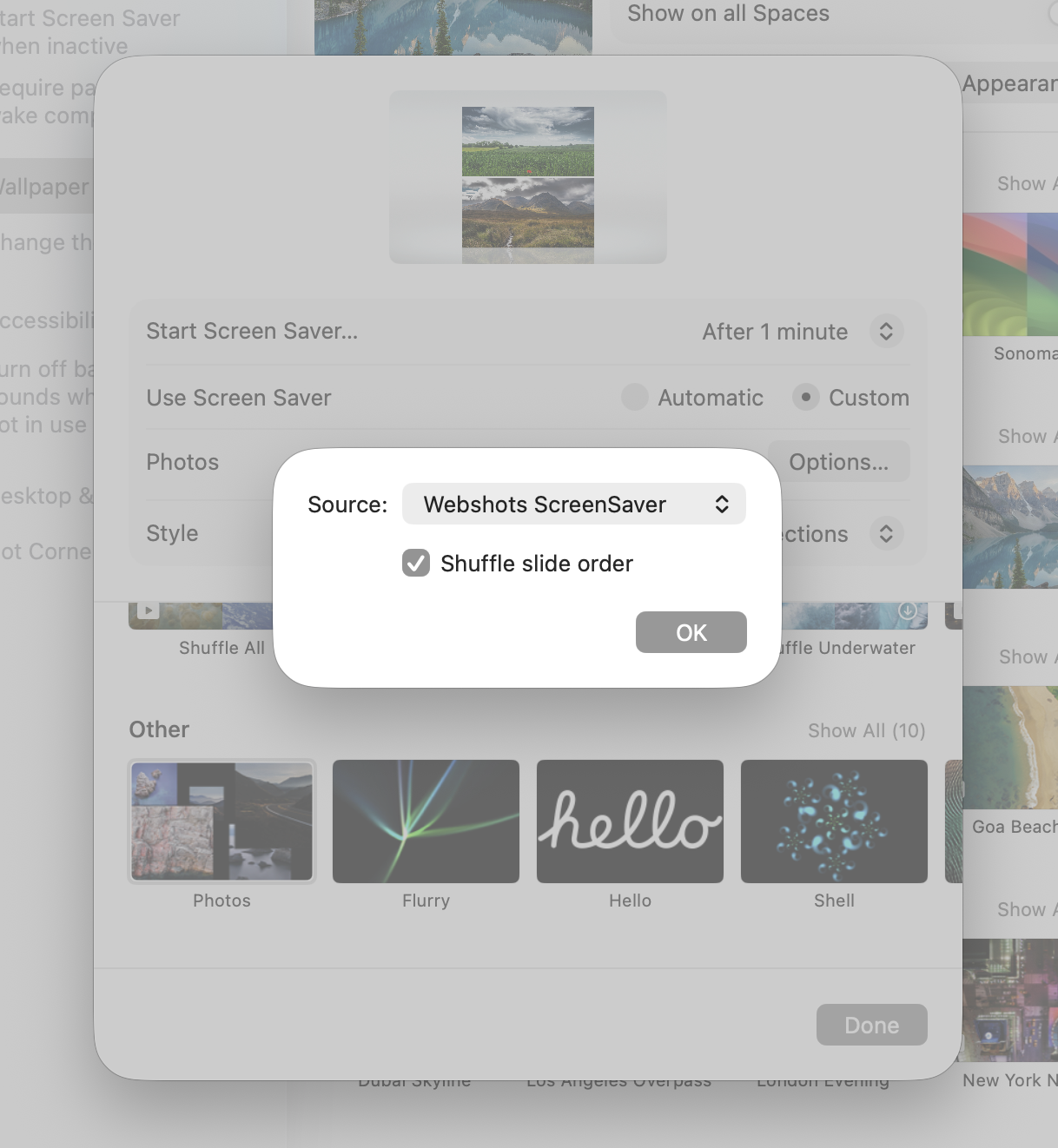
- Under "Options -> Source" select "Choose Folder"
- Select "~Documents/Webshots/Webshots ScreenSaver"
- Note, you can control the start idle time with the "Start Screen Saver..." setting.
Here the "Photos" screen saver is selected with "Use Screen Saver" set to "Custom":
And the "Webshots ScreenSaver" folder is selected as the Source:
Now you will have Webshots photos when your screen saver starts